
The work lives on the server
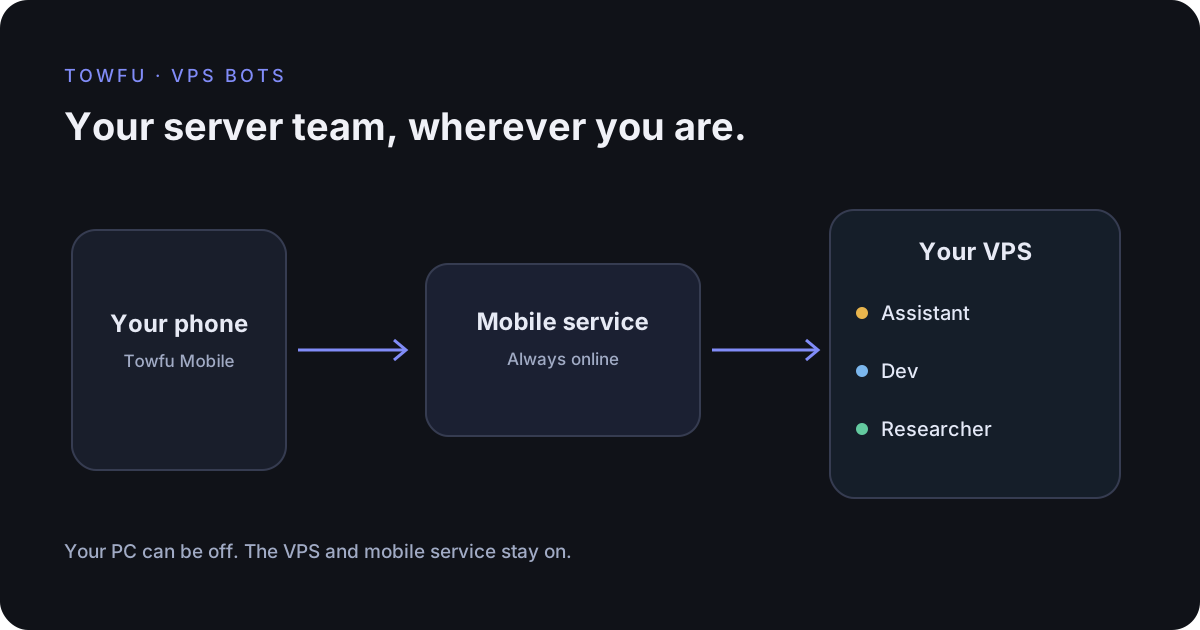
A desktop agent is useful while your PC is running. A VPS agent lives on a different machine: the server you keep online. That gives you another way to work. Send a research task from your phone, return to its saved reply, or review an approval without leaving your Windows PC awake.
Towfu has a dedicated VPS Bots page for a configured Hermes server. The desktop and phone show the same server profiles and saved tasks. Assistant is the primary profile; specialist profiles can handle development or research. The names and portraits help you recognise the bot. Its model, tools and memory remain configured on your server.
This feature needs a compatible server connection. The customer VPS installer is still in development; an ordinary Hermes installation does not automatically provide Towfu's full Control API connection. The connection guide explains the current requirements.
Choose the connection that matches where your agents run
| Phone connection | Where work runs | What must stay online |
|---|---|---|
| Your PC | Your desktop sessions | Towfu and the PC |
| Your VPS | Your configured server agents | The VPS, connector and mobile service |
Closing the desktop VPS page does not cancel a server task. The phone's VPS route uses the always-on mobile service rather than forwarding commands through your PC. The desktop route is different: it controls sessions on the PC and needs that PC awake.
Switching off a PC and restarting the VPS are also different events. A server restart can interrupt a model or tool operation. Check the installed Hermes version and recovery behaviour before treating a task as durable through a restart.
A small, practical workflow
- Open VPS Bots, choose your Researcher and send a bounded request such as a comparison of three options.
- Leave the view. The task belongs to the server and keeps working there.
- Open Towfu Mobile in VPS mode to inspect its saved reply and the activity the server exposes.
- Review an exact pending approval or explicitly open a private output when the server supports it.
You can message a bot while it is working. A supported server can deliver that message at its next step; otherwise the message queues behind its current task. The interface tells you which happened. A retry after uncertain delivery reuses its submission identity to avoid creating a second task.
Activity labels reflect server records. A spinning indicator is not a percentage complete, and a missing status should remain unknown. Phone push needs permission and a configured notification service. Test it on your actual installed phone: browser fixtures cannot establish that an operating system will deliver background notifications.
Access is part of the setup
Desktop credentials are protected by Windows. Phone pairing uses an expiring, single-use code and a revocable device session. The phone browser does not receive the upstream server credentials. Approvals are limited to the reviewed action and revision.
The VPS mobile service holds upstream credentials and processes requests. The desktop relay carries encrypted desktop traffic. These are separate privacy boundaries. HTTPS and pairing do not make a server immune to compromise; the server owner still controls provider access, tools, permissions and network policy.
Start with a harmless task, keep provider and hosting costs in mind, and verify access revocation. A useful connection is one you can inspect and recover, as well as one you can use away from your desk.