
01 · See
Know who needs you.
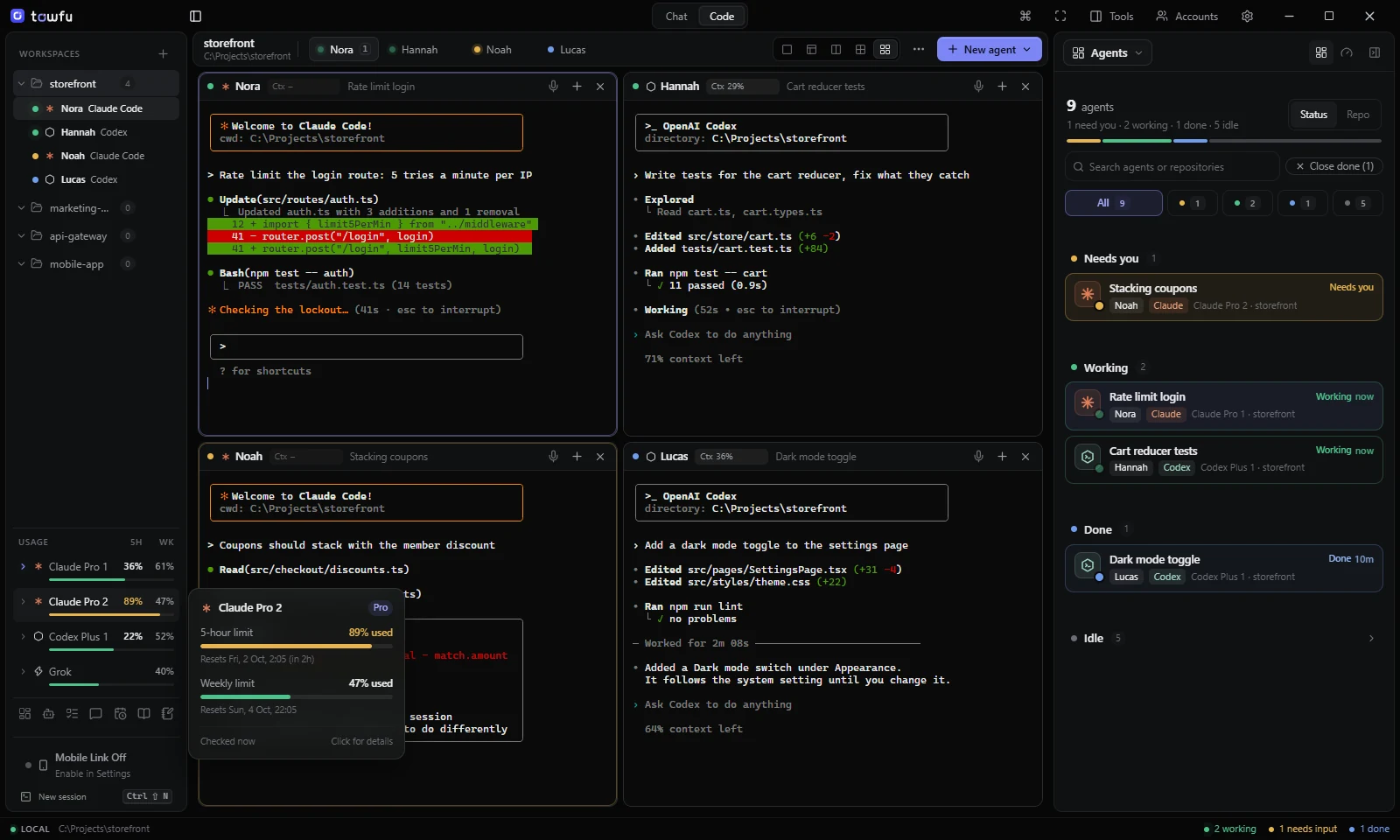
Every agent is sorted by what it needs: Needs you first, then Working, then Done, ready for you to check. Chats you have closed tuck away as Idle, still one click from resuming.
The workspace for AI coding agents
Claude Code, Codex and your other CLIs side by side in one calm Windows window. See what is working, what needs you, and how much of each plan you have left.
Runs the official CLIs you already use
The real thing
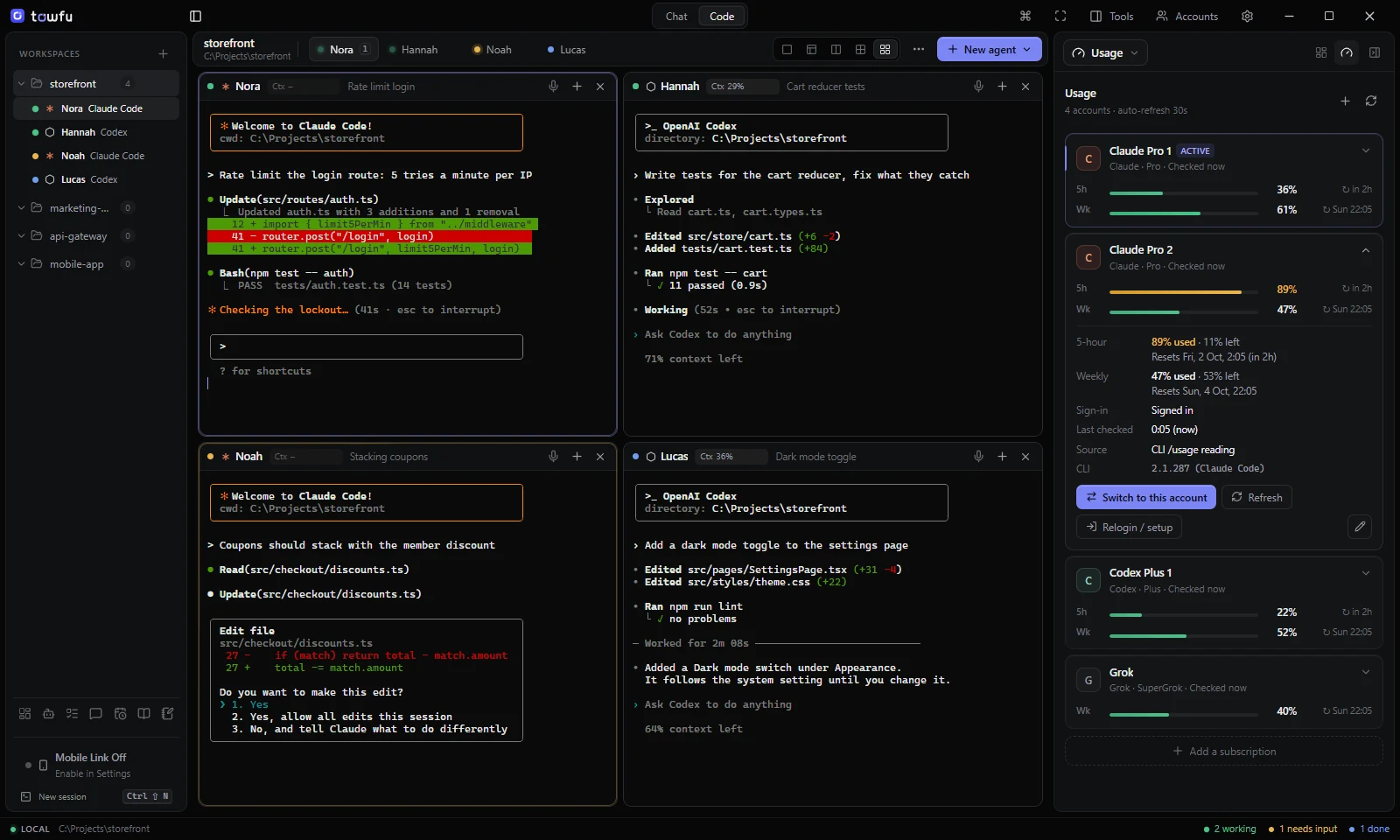
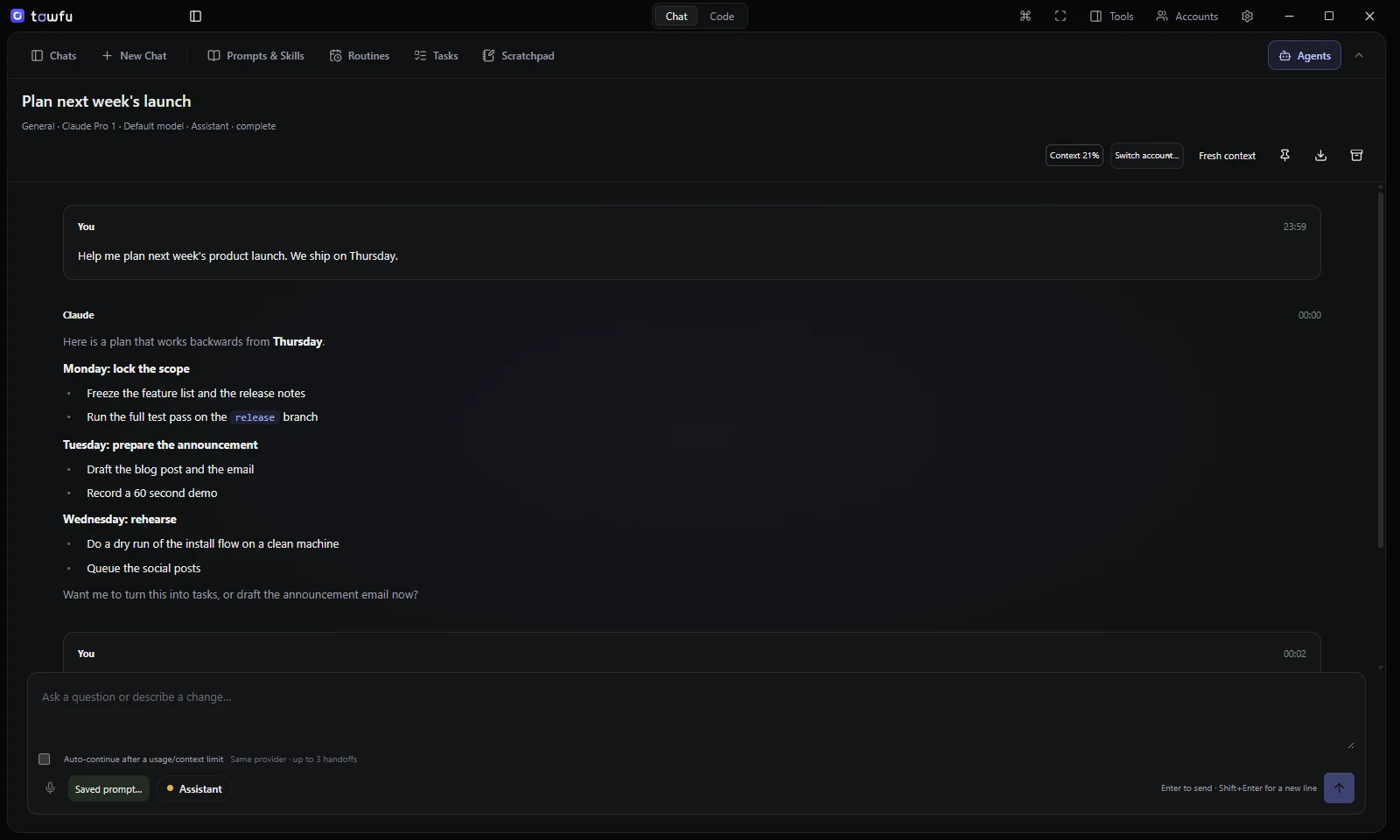
Straight from the app: four agents on one project, a sidebar that sorts them by what they need, usage for every account in the corner, and a chat assistant when you are not in a repo.
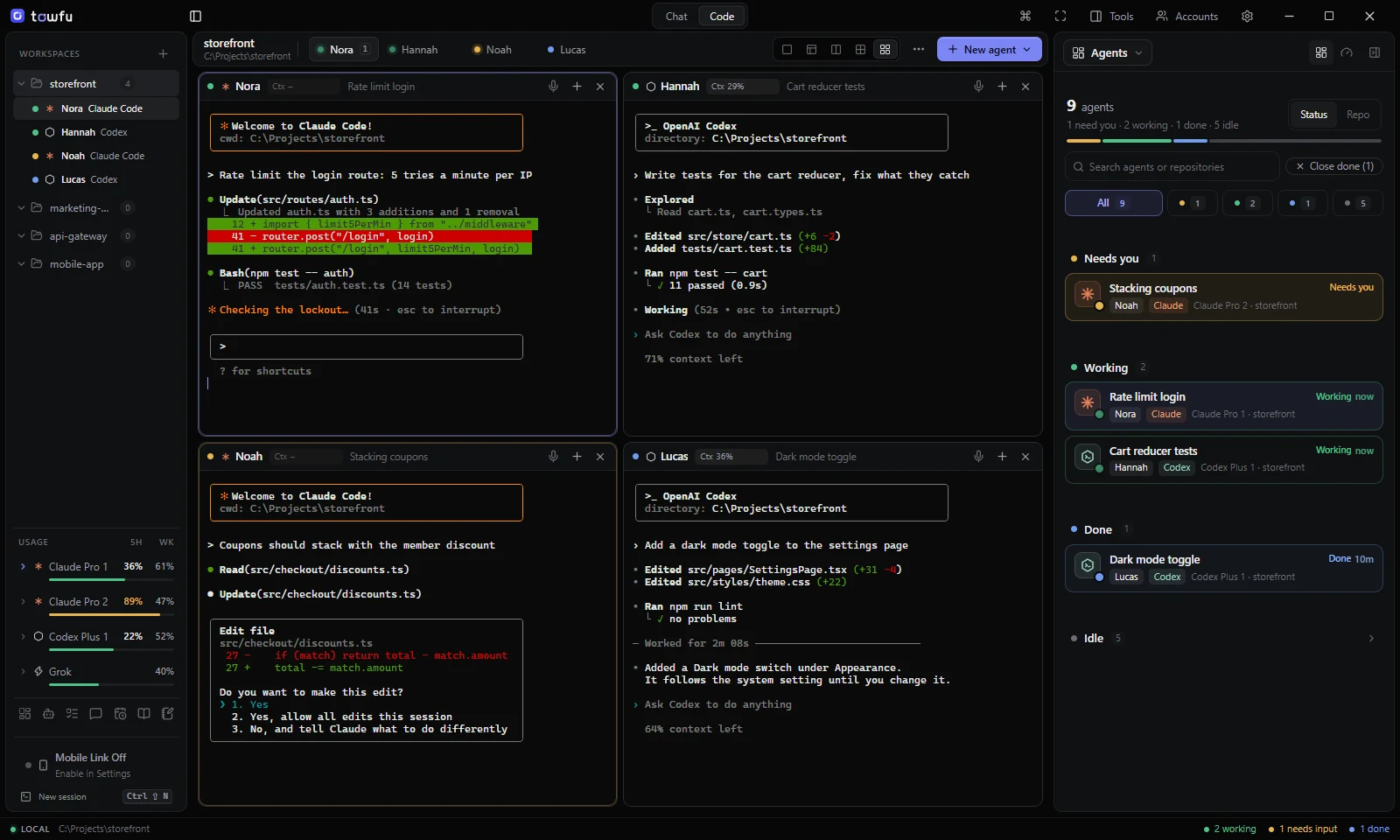
Real Towfu screenshots. Sample project, simulated agent output and fictional accounts.
Why Towfu
Towfu gives the command-line agents you already trust a shared place to work. Nothing to relearn, and no new AI subscription.
Every agent is sorted by what it needs: Needs you first, then Working, then Done, ready for you to check. Chats you have closed tuck away as Idle, still one click from resuming.
Five-hour and weekly usage for each account, read from the official CLI. Grok only has a weekly limit, so that is all it shows. Hover any account for its reset times. If Towfu can't tell, it says unknown.
Towfu writes a handoff note and offers to continue on your next account with room left. You confirm first.
Each agent runs in a genuine Windows terminal, just as it would on its own. Split side by side or stacked, and give parallel work its own git worktree.
Not every job lives in a repo. Chat is an all-round assistant for research, writing, planning and your own files. Pick how much it may do, from answers only to working on its own, and change it whenever you like. Ask it to work in one of your projects and it will.
Your layout and scrollback come back after a restart, and every Claude Code and Codex conversation on your PC is one click from resuming.
Each account signs in through the official CLI and lives in its own profile folder. Towfu never copies credentials between them.
No telemetry and no cloud middleman. Your code and conversations stay on your PC; each CLI talks to its own provider as usual.
How it works
Towfu is an independent workspace. It does not include AI model access or raise provider usage limits.
Claude Code, Codex, Gemini or Grok, from their official installers. Towfu finds them for you.
Add one subscription or several. Each signs in through its own CLI, in its own folder.
Start agents side by side, keep an eye on the Agents sidebar, and step in only when one needs you.
Simple pricing
Start free in Community mode. Towfu Pro unlocks the full workspace on up to 3 of your own computers.
Checkout is being prepared. Your Claude, ChatGPT or other provider plan is separate and paid to them.
Your local price, with any tax, is shown at checkout.
No. Towfu runs the official command-line tools you install yourself, signed in with accounts you already pay for. Your provider plan, its limits and its terms stay exactly as they are.
Claude Code and Codex get the full treatment: status, usage readings, history and resume. Gemini CLI and Grok CLI run in Towfu terminals with their own account profiles, and any other CLI can run in a plain PowerShell pane.
Community mode is free. Towfu Pro is a subscription: £24.99 a month in the UK, with your local price and any tax shown at checkout. There is no one-off purchase. You can cancel any time, and your first payment is fully refundable for 14 days. See the refund policy.
Towfu reads them from each CLI's own usage or status output. It never calls private provider APIs. When a reading isn't clear, Towfu shows unknown rather than guessing.
Towfu notices the limit message, writes a short handoff note (the task, decisions so far and next steps) and offers to continue on another of your accounts that still has room. The new session starts fresh and reads that note; the model's memory isn't moved across.
Not through Towfu. There is no telemetry and no Towfu cloud service in between. Each CLI talks to its own provider just as it would outside Towfu. Licence activation and update checks are described in the privacy policy.
A 64-bit Windows 10 or 11 PC, and at least one coding-agent CLI installed and signed in. Towfu finds the CLIs it knows automatically.
Ready when you are
Windows 10/11, 64-bit. Bring your own coding-agent CLI and provider account.