The practical answer
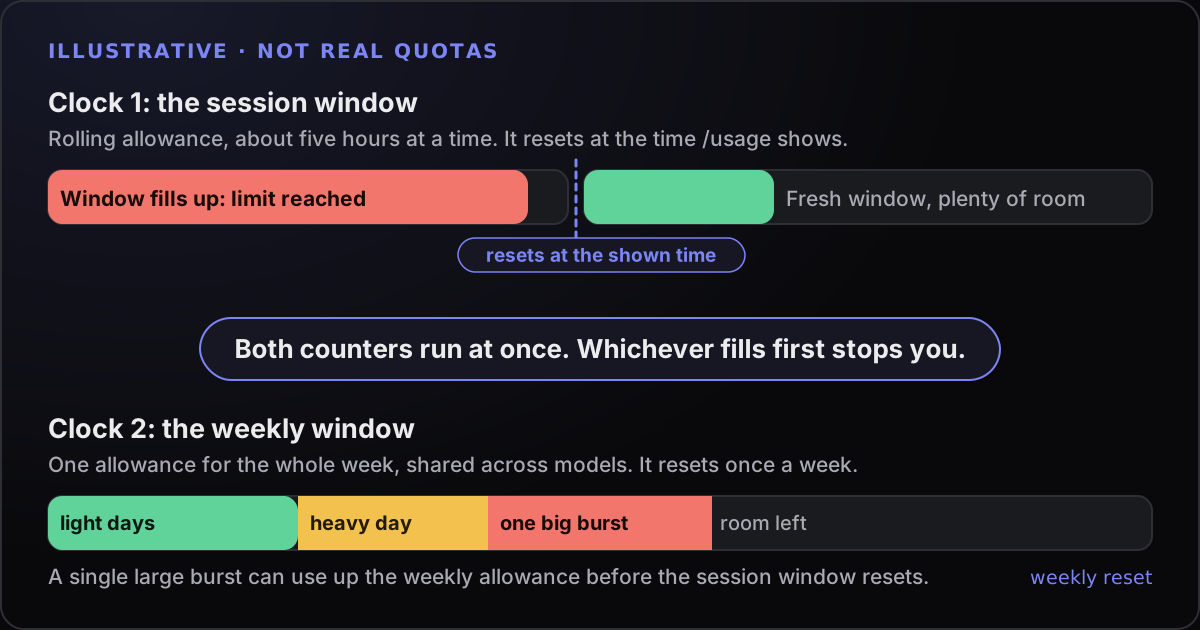
On a Claude subscription, Claude Code runs on two limits at the same time: a session limit that resets every five hours and a weekly limit. Check both with /usage, keep context small with /clear, match the model to the job, and plan heavy work around the reset times.
Two clocks: the session window and the weekly cap
Claude Code on a Pro, Max, Team or Enterprise plan does not give you a fixed number of messages. Anthropic describes a rolling usage allowance with two limits: a session limit that resets every five hours, and a weekly limit that resets once a week. On Pro and Max plans the limits are shared between Claude and Claude Code, so a long conversation on claude.ai draws on the same allowance as a coding session.
Two details catch people out.
Both counters run at once. Claude Code’s documentation says usage counts against the session and weekly allowances at the same time. A single burst of heavy activity, such as a large multi-agent job, can use up the weekly allowance before the session window has reset. A quiet-looking session window does not mean the week is healthy.
Some limits are per model family. The messages you can see are “You’ve hit your session limit”, “You’ve hit your weekly limit” and, separately, “You’ve hit your Opus limit” or “You’ve hit your Sonnet limit”. The session and weekly limits are shared across all models, so switching model does not restore access. The Opus and Sonnet limits apply only to that family, so switching to a model outside it with /model keeps you working.
This guide gives no per-plan message or token counts. The official pages we checked do not give a fixed count, and third-party guides disagree with each other. Use your own /usage screen, and see claude.com/pricing for what each plan includes.
Check where you stand: /usage, the limit message and the web
The quickest check is inside Claude Code. These three commands answer most questions:
/usage      plan limits, when they reset, and what is using them
/context    what is filling the context window right now
/status     which account or credential is active
On a subscription, /usage shows your plan usage bars with reset times, activity stats and a usage breakdown. The dollar figure at the top of the screen is an estimate meant for API users; on a subscription it is not what you are billed.
The breakdown is the useful part when quota disappears faster than you expected. It attributes recent usage to skills, subagents, plugins and individual MCP servers, flags behaviours such as long context or cache misses when one accounts for 10% or more of recent usage, and lists the heaviest scheduled loops. Press d or w to switch between the last 24 hours and the last 7 days. The breakdown is computed from session history on this machine, so activity from other devices or from claude.ai is not in it.
You can also check on the web under Settings, then Usage, on claude.ai. That page is also where usage credits are managed, covered below. If /usage cannot reach the usage endpoint it shows the last-known bars with a note saying how old they are; press r to retry.
One more check that is easy to forget: /status. If an ANTHROPIC_API_KEY environment variable is set, Claude Code can use that key, and bill API usage, instead of your subscription. If your numbers do not move the way you expect, confirm which credential is active.
Not every message is a plan limit. “Server is temporarily limiting requests (not your usage limit)” is a short-lived throttle that Claude Code retries automatically. It does not mean you have used your allowance.
What actually burns your quota
Quota follows tokens, and tokens follow context. Claude Code sends the whole conversation with every request, and every tool call produces another request. Prompt caching makes the repeated part cheaper, but it is still part of what you spend. Anthropic’s cost documentation gives the main reasons usage climbs in a long session:
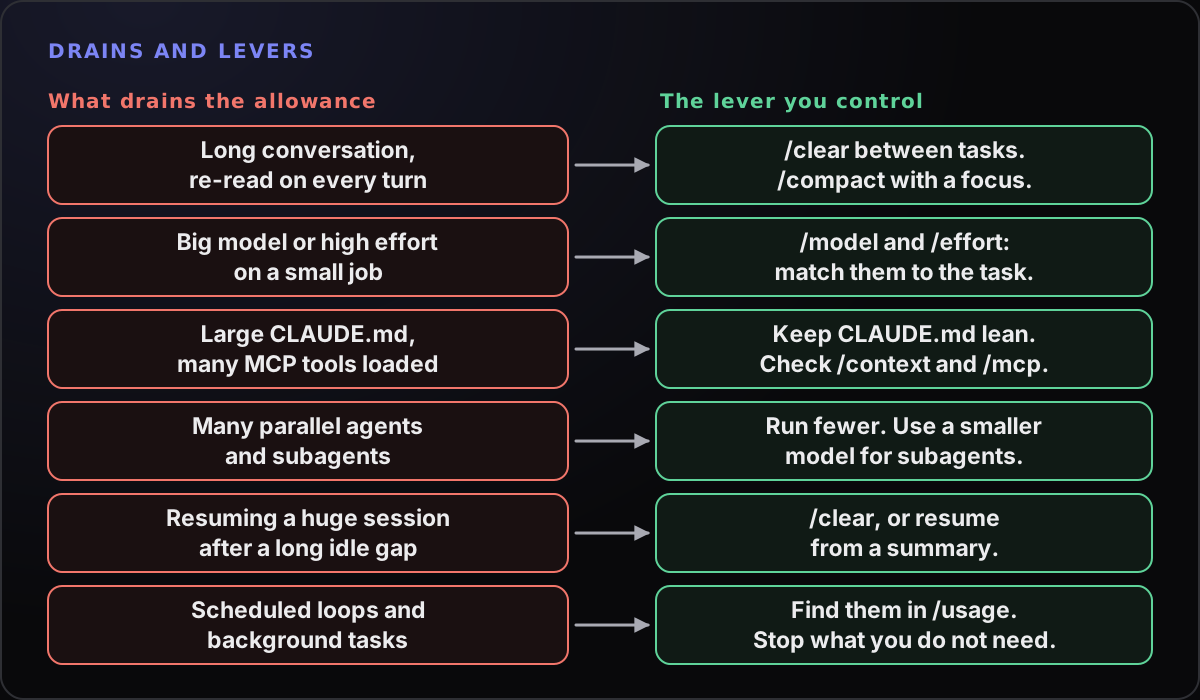
/usage or /context before they become a problem.- Long context. A one-line question in a session that has been open all day still carries the whole conversation.
- Cache misses. After a break longer than the cache lifetime, your first message reprocesses the full context. On a subscription the lifetime is an hour.
- Model and effort. Anthropic’s guidance is that Sonnet handles most coding tasks well and costs less than Opus, which is best kept for complex architectural decisions or multi-step reasoning. Extended thinking is billed as output tokens, and
/effortlowers it for simpler tasks. - Parallel agents and subagents. Each has its own context and its own requests. The agent view documentation says running ten agents in parallel uses quota roughly ten times as fast as running one.
- Background work. Scheduled tasks fire on their interval even while the session is idle, each time sending your full context.
- Large always-on context. A long
CLAUDE.mdand many MCP servers add tokens to every session.
Context hygiene: /clear, /compact and a lean CLAUDE.md
Most of the saving comes from habits you already have the commands for.
/rename login-rate-limit     name the session so you can find it later
/clear                       start the next, unrelated task with an empty context
/resume                      come back to the named session when you need it
/compact Focus on the failing test output and the files changed- Clear between unrelated tasks. Stale context costs tokens on every later message.
/clearitself costs nothing, whereas/compacthas to read the conversation it summarises, so compacting a huge context is a large request in its own right. - Tell compaction what to keep.
/compactaccepts instructions, and you can add a “Compact instructions” section toCLAUDE.md. - Keep CLAUDE.md short. It is loaded at the start of every session. Anthropic suggests aiming for under 200 lines and moving workflow-specific instructions into skills, which load only when used.
- Trim tools you are not using. Run
/contextto see what is taking space and/mcpto disable servers you do not need. Command-line tools such asghadd no per-tool listing, so they are lighter than an equivalent MCP server. - Be specific. “Add input validation to the login function in auth.ts” invites far less scanning than “improve this codebase”.
- Plan first, stop early. Plan mode (Shift+Tab) agrees an approach before any edits. If Claude heads the wrong way, press Escape straight away;
/rewindrestores an earlier checkpoint.
If you have a long session you cannot bring yourself to clear, Claude Code on Pro and Max plans offers to resume a large session from a summary after a long break, so later requests do not carry the full history.
Plan heavy work around the resets
Once you know when each clock resets, you can use them.
- Start the expensive jobs (a large refactor, several parallel agents) when you have room in both windows, not at the end of one.
- Keep small, low-risk tasks for the end of a window. Documentation tweaks and focused tests fit in what is left.
- Write the next step into a file before you stop. A short
NEXT.mdwith the goal, the branch and what to do next means a limit mid-task does not cost you the thread. The handoff note in the Claude Code and Codex guide is a good template. - Expect the weekly limit to be the one that surprises you. A heavy Monday can shorten Friday.
Claude Code can also wait for you. In an interactive session signed in with a subscription, version 2.1.234 or later waits in the open session after a usage limit stops it, then continues the interrupted task shortly after the reset. Press Escape at an empty prompt, or Ctrl+C, to cancel the wait, or use /rate-limit-options to choose. The continued task still asks for permissions as usual, so it can stop on a prompt while you are away. Do not assume a task finished overnight just because the limit reset; the guide to unattended runs covers what to check.
When you hit a limit: your honest options
- Wait. The message shows the reset time. This is the free option.
- Switch model family. Only for an Opus or Sonnet limit, not the session or weekly limit.
- Usage credits. Run
/usage-creditsto manage extra usage beyond your plan’s limit. On Pro and Max it opens your usage settings, where you can turn credits on or off and set a monthly spend limit. - A bigger plan. Higher plans have higher base limits; see claude.com/pricing.
- API billing. Claude Code can bill by token through a Claude Console account. That trades a hard stop for a bill, so set spend limits. For scripted runs,
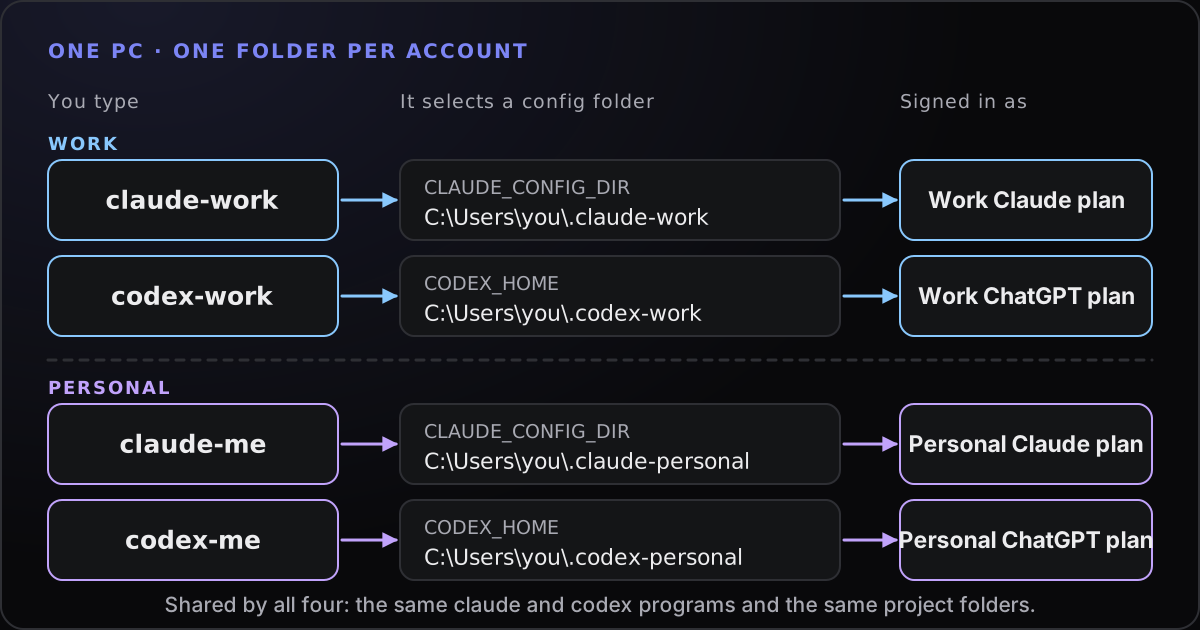
claude -paccepts--max-budget-usdand--max-turns, which are estimates and caps rather than guarantees. - More than one account. This is legitimate when the accounts are genuinely separate, such as a work plan and a personal plan, and the guide to running several accounts on Windows shows how to keep them apart. Limits are per account, and using extra accounts to get around a limit on one is a different thing. Anthropic’s consumer terms prohibit sharing account credentials and bypassing its protective measures, so read the terms before you plan around it.
Where Towfu fits
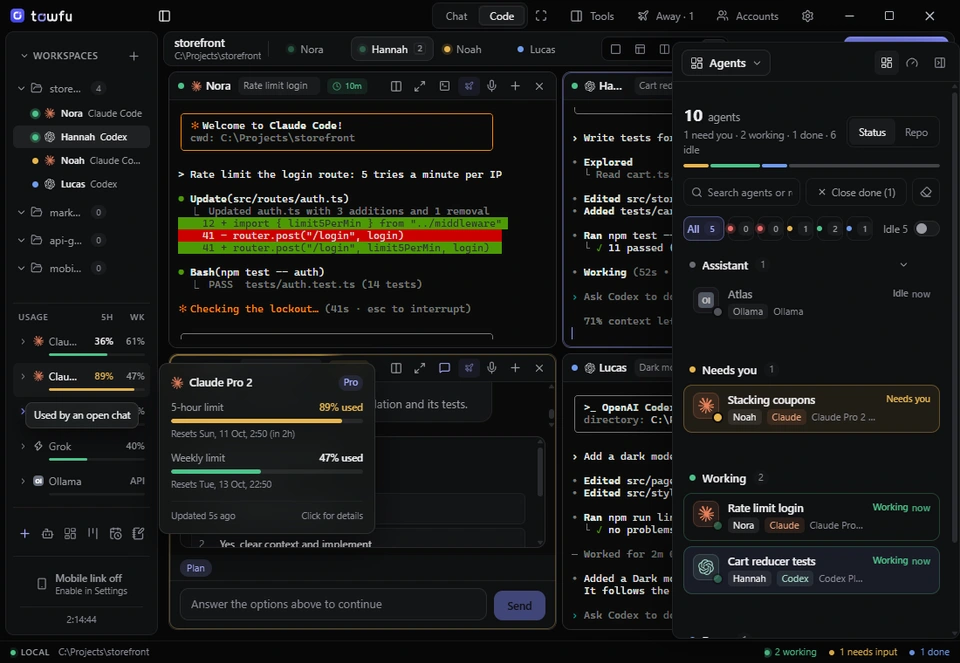
If you use several Claude or Codex accounts, the awkward part is remembering which one is nearly out. Towfu’s accounts view shows 5-hour and weekly usage for each account side by side, read from each CLI’s own usage or status output. When a reading is not clear it shows unknown rather than a guess. It does not raise any provider’s limit and it does not include model access.
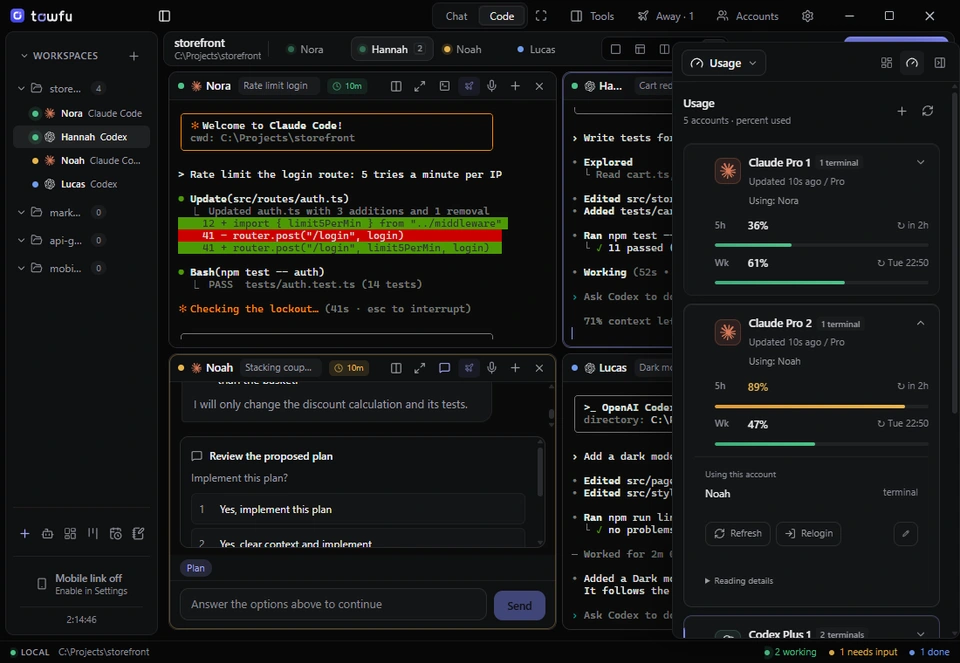
When a Claude account does hit its limit, Towfu asks where to continue and nothing moves until you choose. The usage views are a convenience; the limits themselves, and their terms, stay with the provider.